01
Paying for AI nobody uses
You’re paying for AI subscriptions, and maybe two people in the office know how to get anything out of them.

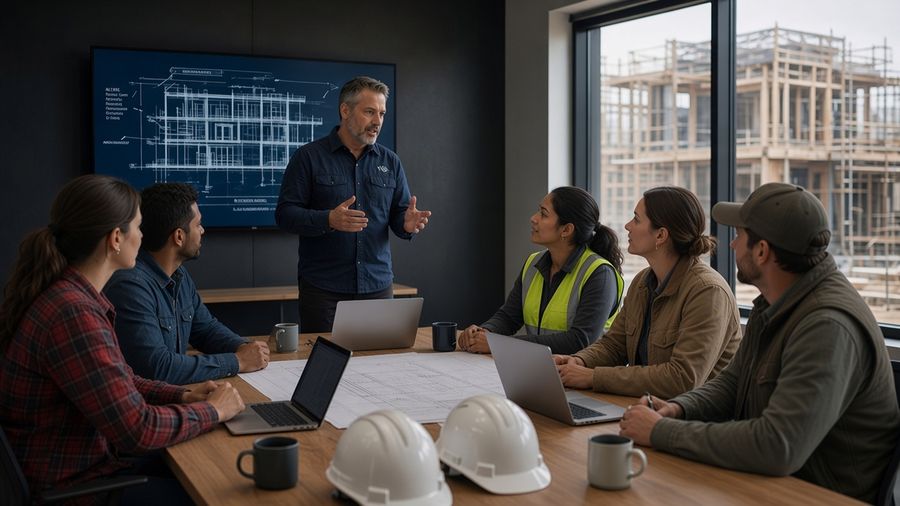
AI Training for Contractors & Trades · Virtual or in person
Plain-spoken, hands-on sessions that show your team how to use AI on estimates, schedules and client emails without putting your business at risk.
AI changes every month, so our training does too. We teach your team how AI behaves, how to check its work before it hits a bid or a client’s inbox, and how to keep your data safe, then tailor the topics to your company.
We’ve spoken at
NAHB eventsandBuilder 20 groups
No long-term
contracts
Always current
Updated as AI changes, not stuck on last year’s apps
Virtual or in person
At your office, shop or event, built around your team
We don’t sell software. We teach the tools your team already has, like:
The problem
01
You’re paying for AI subscriptions, and maybe two people in the office know how to get anything out of them.
02
Your estimator, your PM and your office manager each picked their own tool and their own way of using it. The results don’t match.
03
Bids, client details, plans and contracts are going into free AI tools, and nobody’s checking where they end up.
04
Most AI courses walk through one app’s buttons, then the app changes. And they’re written for office workers, not people who build things.
The training
New models, new features and new rules show up constantly. We rebuild our content as the tools change, so what your office and crews learn is current the day we teach it, and the habits underneath still work on whatever comes next.
Always current
Every session shows where AI is right now, not where it was when somebody recorded a course.
Made for the trades
The topics fit GCs, remodelers and specialty trades alike: owners, estimators, PMs, office staff and field leads. They stay broad on purpose, because the tools keep changing.
Tailored
If your company or your builder group has a focus, we shape the topics, examples and demos around it. Final session titles fit your audience and event track.
Training topics
Broad categories you combine for your company or event. Each one can run as a talk, a panel-style workshop or a demo-heavy breakout. The last two are hands-on: your team builds right alongside us and leaves with working files.
01
Ideal for: Owners, leadership teams, builder associations and HBA events
02
Ideal for: Owners, office managers, HR and anyone handling bids, contracts or client data
Takeaway
A drafted AI Use Policy template you can adapt and roll out with your team.
03
Ideal for: Owners, ops leaders, superintendents and service managers
Takeaway
A copy-and-paste starter method to test your first lightweight “AI manager.”
04
Ideal for: Ops managers and anyone onboarding new hires to the office or the field
05
Ideal for: Owners, estimators, PMs and office teams putting AI to daily use
06
Ideal for: Remodelers, designers, sales and marketing, and PMs presenting to clients
07
Hands-onIdeal for: Owners, controllers, estimators and anyone who lives in spreadsheets
08
Build-alongIdeal for: Ops leaders and growing contractors who want fewer status calls
60–90 min
Most topics take about this long to cover well, with demos and Q&A. Every group is different, so there’s no fixed clock.
About 3 topics
fit in a typical 5-hour session. You pick the mix.
Two days
For more topics, we run two back-to-back days.
Keynotes & breakouts
Shorter keynotes, breakouts and lunch-and-learns for builder associations and industry events, focused on one theme.
Virtual or in person. We teach live online, or on site at your office, shop or event. Sessions are led by Morgan and Justin Knox. Tool names are examples; we work with what your team already runs, whether that’s Google, Microsoft or a mix.
Up to 25 people per session. Bigger team? Get in touch and we’ll work it out. For in-person sessions, travel and lodging aren’t included in training fees; you cover them. Taught in English.
Tell us about your team and what you want them to learn. We’ll suggest the right mix of topics.
How training starts
Tell us about your company, what your team wants to learn, and which AI tools are already showing up in the office and on site.
For a fee, we map who needs what around the topics you pick, from the owner’s desk to the field, and add anything you ask us to dig into.
The topics you picked, virtual or in person, in one session or two back-to-back days, using the tools you already have.
Refreshers, office hours, and onboarding for new hires.
No assessment required. Training starts straight from the call.
When you want it built
Some contractors want a workflow built for them, or just need an expert for a few hours. That’s separate from training: an expert by the hour to help with strategy, pick tools, review what you’ve got, or build an automation for your office or operations.
Billed hourly · discounted blocks of 10+ hours · no long-term contracts
Results
Why Knox Out AI
Implementation, not theory. What we teach gets used on Monday, in the office and on the job.
Nobody's trying to sound smart. We’re here to help your company run better.
Our examples come from estimates, schedules, change orders, client emails and job sites, and we use your own when your work is different.
We don't resell any AI platform, and we don’t push any one of them as the answer.
Your presentersJustin Knox Morgan Knox
About usResources
Free tool
Set the rules for how your office and crews use AI. Get a custom acceptable-use policy sent to your inbox.
Build your policyFree download
Copy-paste ChatGPT and Claude prompts for contractor email, triage and daily office work.
Get the PDFFAQ
Book a Discovery Call
Tell us about your company, what AI your office and crews are already using, and what you want them to walk away with. We’ll suggest the right topics and format for your team or your builder event.
Or call 888-720-5624 · [email protected]